
Add a collaborator to a project
Add a collaborator to a project
Collaborators are useful when someone outside your team needs access to selected projects. For example, you might invite a freelancer, consultant or external partner to help with one project without adding them as a full team member.
Open collaborator settings
- Go to Settings.
- Open Company.
- Select Collaborator.
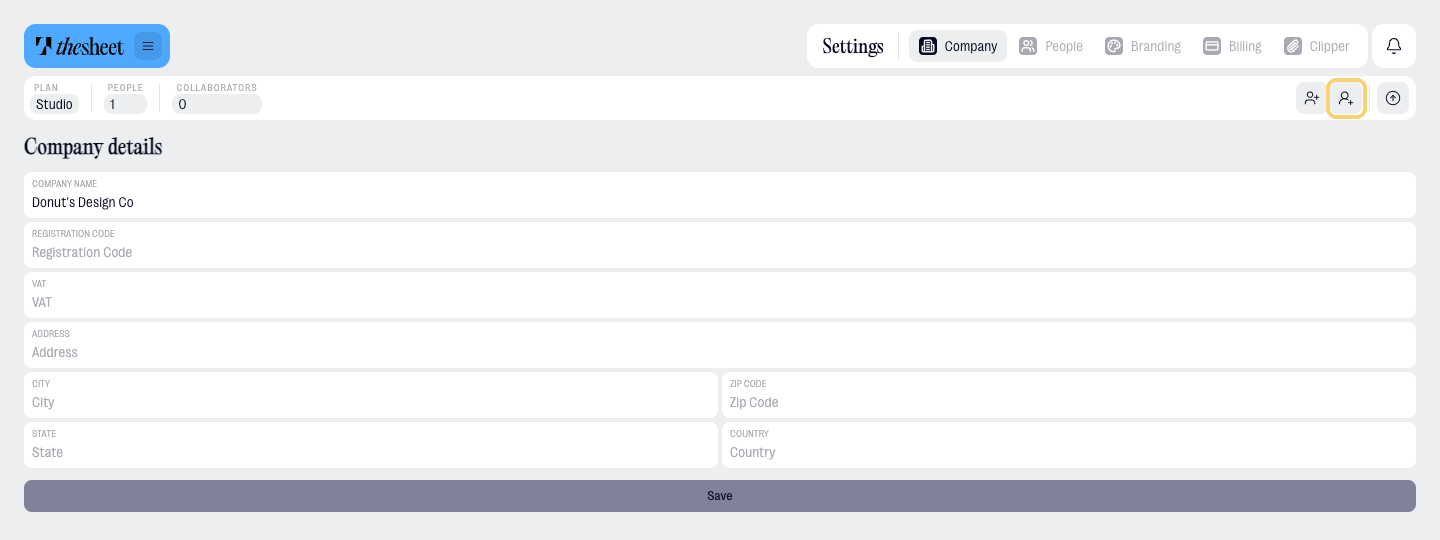
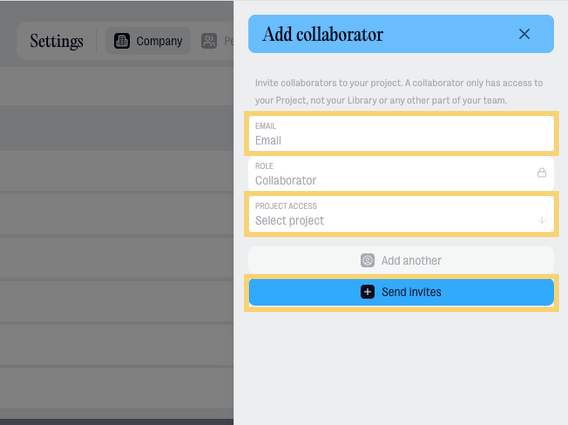
Invite a collaborator
- Enter the collaborator’s email address.
- Choose which project they should be able to access.
- Select Add collaborator.
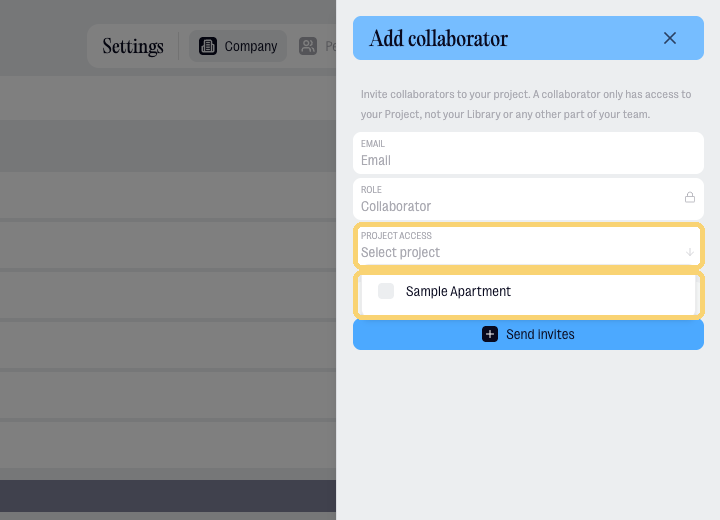
Choose project access
Use Project access to choose the project the collaborator can work in.
A collaborator should only be given access to the project they need. They do not get access to every project in your workspace unless you give them that access.
Plan availability
Collaboration is available on Studio and Agency.
You can invite someone who uses Solo as a collaborator, as long as the workspace inviting them is on Studio or Agency.
Collaborators do not count as paid seats, so you can bring an external collaborator into a project without increasing your team member count.