
Manage projects from the dashboard
Find, open, archive, restore and delete projects from the Projects dashboard.
Manage projects from the dashboard
The Projects dashboard is where you find, open, archive, restore and delete projects in thesheet.
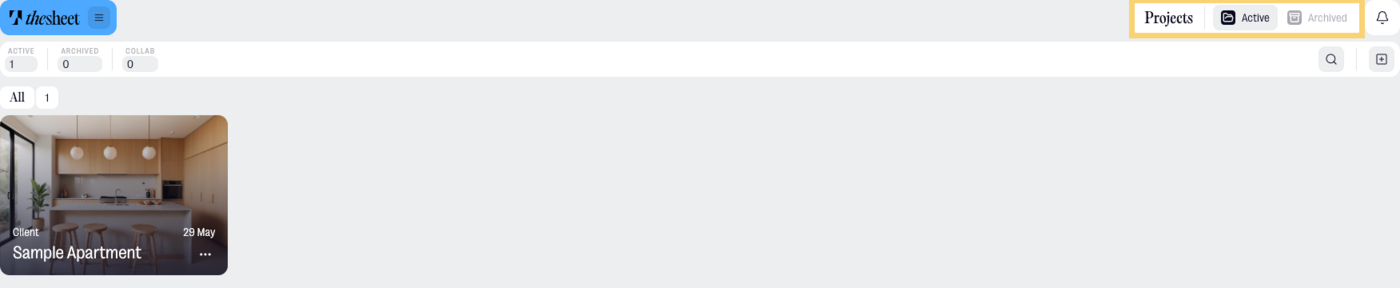
Open the Projects dashboard
- Select Projects from the main navigation.
- Use Active to see current projects.
- Use Archived to see projects that have been moved out of your active list.
What’s included by plan
- Solo: you can have up to 3 active projects. Archived projects are kept for 12 months, then deleted.
- Studio and Agency: you can have unlimited active projects and unlimited archived projects. Archived projects are kept for 7 years.
- If a project was created or edited while your Studio or Agency subscription was active, it is kept in the archive for 7 years too.
Open or find a project
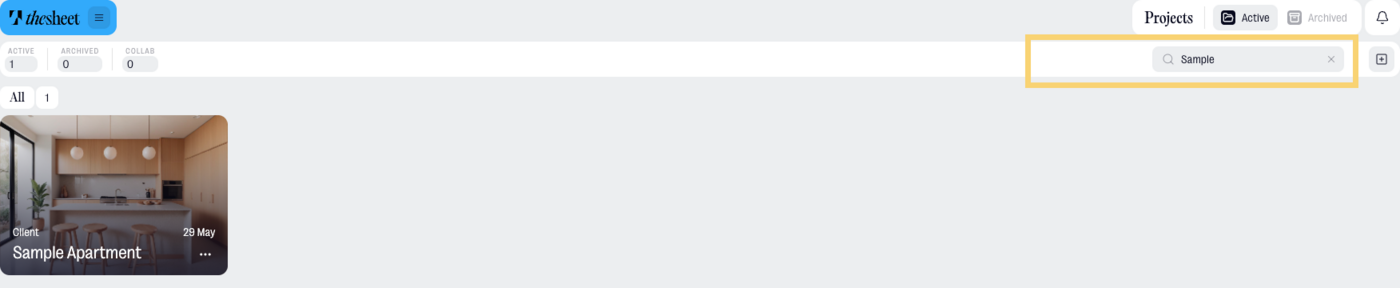
- Use the search field to search by project name.
- Open the project card.
- Select View project to open the project.
Create a new project
- Select Project.
- Add the project details.
- Save the project and start adding products.
Archive a project
Archive a project when you want to remove it from your active dashboard without deleting it.
- Go to Projects.
- Stay on the Active tab.
- Open the three-dot menu on the project card.
- Select Archive Project.
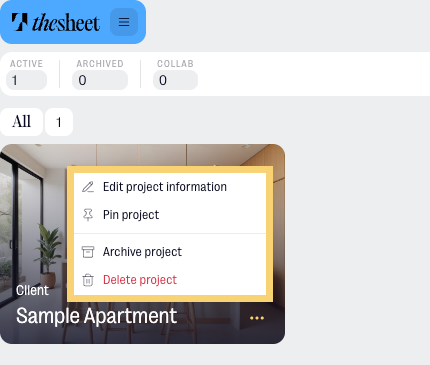
The project moves to the Archived tab.
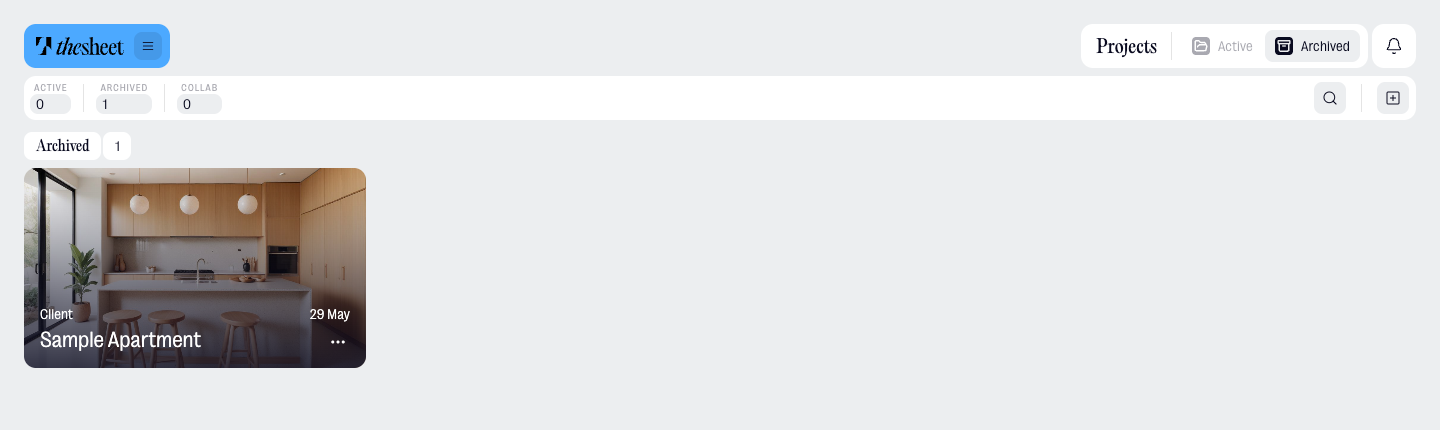
View archived projects
- Go to Projects.
- Select Archived.
- Use search if you need to find a specific archived project.
Archived projects stay available from this tab until the end of their archive lifetime.
Restore an archived project
- Go to Projects.
- Select Archived.
- Open the three-dot menu on the project card.
- Select Restore Project.
The project moves back to the Active tab.
Delete a project
Delete a project when you no longer need it in thesheet.
From active projects:
- Go to Projects.
- Stay on the Active tab.
- Open the three-dot menu on the project card.
- Select Delete Project.
- Confirm the deletion if thesheet asks you to confirm.
From archived projects:
- Go to Projects.
- Select Archived.
- Open the three-dot menu on the project card.
- Select Delete Project to remove it, or Restore Project if you want to use it again.
Only delete a project if you’re sure you no longer need it. If you just want to clean up your active dashboard, archive it instead.