
Service items
Adding service items to your projects in thesheet
Service rows let you add service costs to your sheet alongside your products — things like contractor fees, delivery charges, or your own professional fees. They're included in the project budget total so your client sees the full picture.
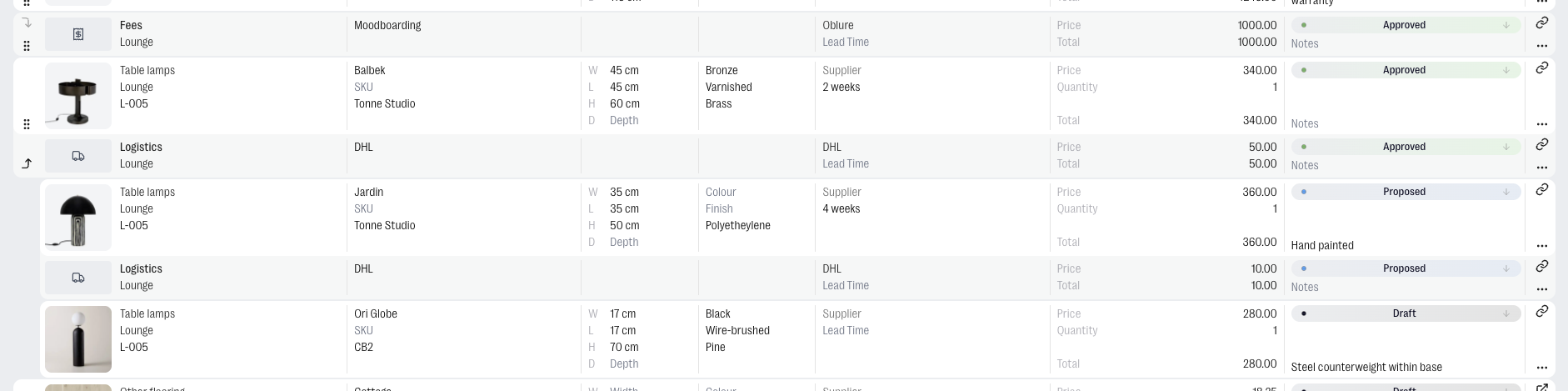
Adding a service row
There are two ways to add a service row depending on whether it's tied to a specific product or not.
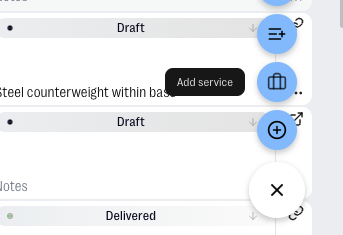
- Standalone — click the + button in your Sheet view and select Add Service. The row is added independently and sits in the sheet like any other row.
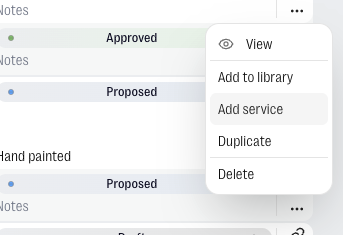
- Linked to a product — click the ··· on any product row and select Add service. The service row appears directly beneath that product, visually connected to it. Useful when a service relates specifically to one item, like a delivery charge for a particular lamp.
Categories
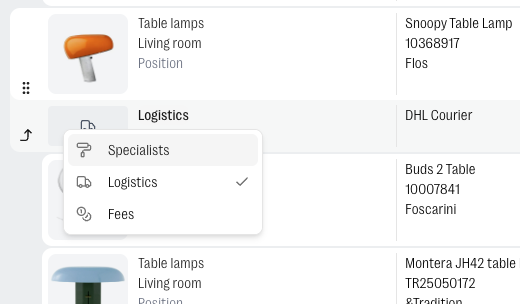
When adding a service row, you'll pick one of three categories:
- Specialists — any external hire, from a tiler or painter to a 3D visualiser or photographer.
- Logistics — shipping, delivery, storage, customs, and anything else related to moving or holding items.
- Fees — your own professional charges to the client, such as site visits or project management fees.
Budget and margin
Service rows appear in the project budget total and in your margin tables, on the same basis as product rows.